
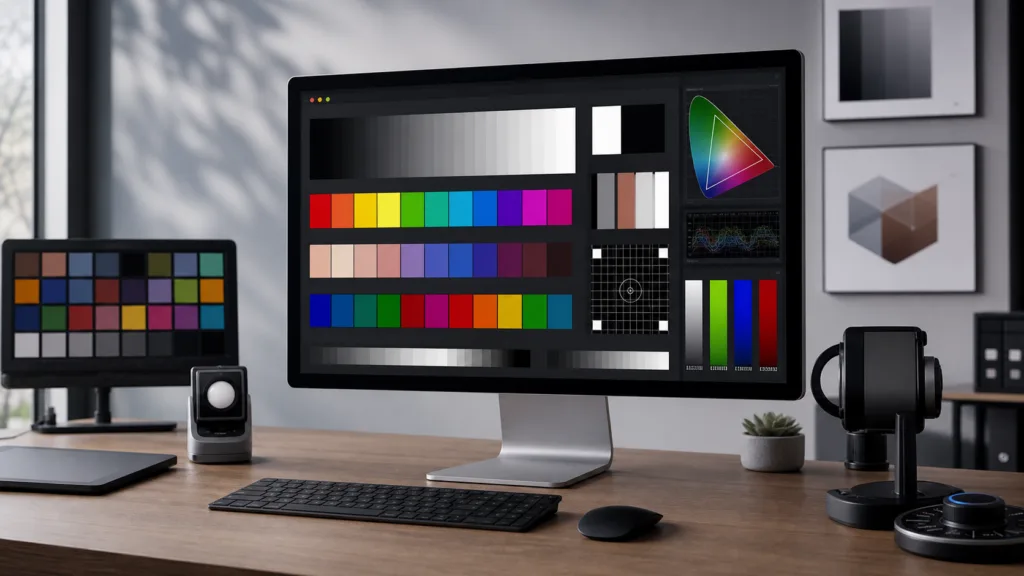
PatternSpace is a macOS pattern generator for display calibration. It renders color patches, test patterns, and color-critical signals for measurement workflows.
At a basic level, PatternSpace turns a Mac, iPhone, or iPad into a calibration pattern generator. You can show solid color patches, run visual test patterns, respond to calibration software, and send output to a selected display.
However, the more interesting part sits under that simple idea. PatternSpace also works as a programmable calibration surface.
You can find the official PatternSpace page at patternspace.caplaz.com.
Why Build a macOS Pattern Generator?
Display calibration has an odd engineering shape. The app can look simple, but the output depends on many hidden details.
For example, a calibration tool must handle color value meaning, output routing, timing, HDR behavior, display limits, and network control. Also, an external client needs to know what kind of RGB values it sends.
A calibration pattern generator is not just “draw a rectangle on the screen.” In practice, it has to answer several questions.
Is this RGB triplet meant to be raw display code? Does it use an SDR curve? Is it PQ? Is it linear light? Should the app treat it as display-relative? Can the selected display show HDR? Does Peak White apply? Is this output mode right for EOTF checks?
Because of those questions, PatternSpace uses clear source engines and shared rendering state. Each external protocol has its own lifecycle, since every calibration tool expects the generator to behave in a specific way.
ColourSpace, CalMAN, PGenerator, and PatternSpace’s own JSON automation path each have separate integrations. However, they all feed the same core output model.
As a result, PatternSpace can support several calibration workflows without turning the renderer into a mess of special cases.
Supported Calibration Workflows
PatternSpace currently supports several ways to drive output.
ColourSpace / LightSpace workflows can use PatternSpace as a network-driven patch renderer for measurements and calibration runs.
CalMAN workflows can use PatternSpace as a compatible patch generation target.
PGenerator-compatible tools can use PatternSpace with workflows that already know how to drive that ecosystem.
PatternSpace JSON gives developers a first-party automation path. It supports scripting, remote control, SDK-based integrations, and custom calibration tools.
Compatibility with existing tools matters. However, a clean native API makes PatternSpace useful beyond any one calibration package.
PatternSpaceSDK
The preferred way to integrate with PatternSpace from code is PatternSpaceSDK. It is a Swift package for finding and controlling PatternSpace hosts from custom tools.
The SDK handles the lower-level protocol work. Therefore, a Swift tool does not need to build its own connection layer, request handling, response decoding, or typed model support.
With the SDK, a client can find a PatternSpace host, connect with the local pairing code, display patches, inspect device status, query capabilities, and work with supported display settings.
That makes the SDK useful for calibration tooling, display QA scripts, lab automation, remote controllers, and internal measurement workflows.
Start here:
What You Can Automate With a macOS Pattern Generator
With the SDK and JSON automation path, PatternSpace can become part of a larger calibration or verification system.
For example, a tool can connect to PatternSpace, ask what the host supports, show a solid color patch, send a multi-rectangle patch, trigger a catalog pattern, clear the active output, inspect display state, or listen for status changes.
Display workflows can also use output color presets and measurement range reporting. On supported platforms, clients can inspect which presets exist for the selected display. Then they can choose the mode that matches the measurement task.
This helps with automated sweeps, internal QA tools, engineering test benches, color pipeline experiments, and remote-control surfaces.
Instead of building a one-off pattern generator for every workflow, a tool can use PatternSpace as the rendering endpoint. Then the rest of the system can focus on measurement logic, reporting, or orchestration.
Color Value Semantics Matter
One goal of PatternSpace is to make color behavior explicit.
In calibration software, an RGB triplet does not explain itself. The same numeric value can mean different things depending on the active output path.
For instance, a value might mean raw display code, gamma-encoded SDR, normalized PQ, or linear-light HDR.
PatternSpace’s output preset model makes those choices visible.
A client should be able to ask the host what output mode is active. Then it can understand how PatternSpace will interpret incoming values.
SDR reference presets, HDR PQ presets, linear HDR presets, and device-native modes are not just labels. They imply different math and different expectations for source values.
This distinction matters even more in HDR workflows. Some workflows need deterministic PQ behavior for EOTF checks. In contrast, others may use system tone mapping on purpose to see how the OS and display stack handle content.
PatternSpace tries to keep those paths separate and named. Therefore, the operator or automation client can choose with intent.
Native macOS and iOS Design
PatternSpace uses Swift and SwiftUI, with shared logic in PatternSpaceCore. It is not a web wrapper.
On macOS, display selection and rendering behavior matter a lot, because the app may drive a specific external monitor. Meanwhile, iOS and iPadOS have a different shape, especially for remote and mobile workflows.
Even so, the shared core keeps protocol and workflow decisions aligned across platforms.
This shared design also helps the SDK. If an iPhone, iPad, or Mac runs PatternSpace as a controllable host, a client can use the same general model while still respecting platform-specific features.
Built for Real Calibration Workflows
PatternSpace also includes a built-in pattern library for visual checks and calibration-adjacent tasks. So, the app is not limited to external patch commands.
You can display local patterns for geometry, clipping, gamma, color, swatches, and other display checks.
At the same time, PatternSpace keeps a distinction between built-in library patterns and externally supplied patches. That distinction matters because a local pattern from the app is not always the same kind of input as a remote patch from a calibration package.
Remote patches act as measurement signals from the active source. Built-in patterns act as app-generated references.
Both meet in the renderer. However, they do not need to pretend they came from the same place.
That separation makes the app easier to reason about as it grows.
Where PatternSpace Is Going
PatternSpace started as a pattern generator. Over time, it has grown into a broader calibration platform.
It now brings together native rendering, protocol support, display diagnostics, remote control, and SDK-driven automation.
The immediate value is practical. You can use PatternSpace with common calibration tools and render test patterns on Apple devices.
The longer-term value is architectural. PatternSpace gives developers a programmable display-calibration endpoint. As a result, it can sit inside larger systems instead of staying limited to manual use.
That opens up useful possibilities: automated SDR and HDR patch sequences, local network remote control, internal display QA dashboards, repeatable test scripts, companion apps, calibration training tools, integration experiments, and engineering workflows where the pattern generator is one reliable part of a larger measurement loop.
For me, the interesting part is the mix of app development and color science. PatternSpace touches SwiftUI architecture, Metal rendering, display color management, HDR behavior, local networking, API design, and the practical details of calibration tooling.
PatternSpace also fits into the broader set of engineering projects I collect on my portfolio.
If you want to try PatternSpace or learn more about the app, visit:
If you build custom calibration tooling or display automation, start with the SDK:

Software enthusiast with a passion for AI, edge computing, and building intelligent SaaS solutions. Experienced in cloud computing and infrastructure, with a track record of contributing to multiple tech companies in Silicon Valley. Always exploring how emerging technologies can drive real-world impact, from the cloud to the edge.