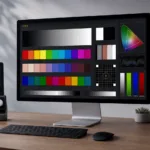
Short version: PatternSpace 2.0 is out on the Mac App Store. Still free to start, still $39.99 one-time for Pro, still no subscription — and it stopped being “just” a patch renderer somewhere along the way. It’s now patches, a Metal EDR rendering pipeline, an open remote protocol with a Swift SDK, a LUT composition workbench, and ICC profile tools. If you read the original announcement post (or the Patterns-for-Mac comparison), consider this the part where that “broader calibration platform” line actually lands.
🧪 From “show me patch 4,213” to the whole bench
The 1.x story was simple. Your calibration software says “show me patch 4,213,” PatternSpace shows it, your probe reads it, repeat five thousand times while you get coffee. That still works exactly the same — ColourSpace (LightIllusion Network Server, auto-discovered over UDP), CalMAN (UPGCI), and PGenerator emulation (TCP 85, UDP 1977, so any software that talks to a Pi now talks to your Mac instead). One honest caveat carried forward: CalMAN’s UPGCI pattern sources are unsupported in CalMAN Home licenses from 2024 onward. Not our rule. Portrait’s.
What’s new is everything around the patches. The Metal EDR pipeline renders at up to 16 bits per channel through an rgba16Float CAMetalLayer — vsync-locked, no drift — with up to 16× HDR headroom on a Pro Display XDR and peak-white/EDR control (up to 4.0 EDR) for HDR measurement on Mac displays. The Preset Diagnostics Inspector tells you the gamut, transfer function, encoding, EDR headroom, and estimated peak luminance of whatever you’re about to measure before you measure it. Know your pipeline before you trust your numbers — that was the whole point of the Patterns-for-Mac comparison, and 2.0 bakes it into the app.
🔌 The open door: PatternSpace Remote
This is the part I’m proudest of, so indulge me. PatternSpace Remote — the headline feature of PatternSpace 2.0 — is a first-party WebSocket/JSON-RPC 2.0 protocol, openly documented, pairing with a 4-digit code:
# Connect — discovered via Bonjour (_patternspace._tcp)
ws://your-mac.local:7878/patternspace
Authorization: Bearer <pairing-code>

# Render a 10-bit red patch (JSON-RPC 2.0)
{"jsonrpc": "2.0", "id": 1,
 "method": "pattern.displayColor",
 "params": {"r": 1.0, "g": 0.0, "b": 0.0, "bitDepth": 10}}
Free tier gets you 25 rendered patches per session to evaluate (status, discovery, and list calls don’t count — only the ones that actually light up your screen). Pro removes the cap, no restart needed. And yes, there’s a real SDK on GitHub — PatternSpaceSDK, no dependencies, Swift Package Manager, and it implements both sides: client and server. Want to script your own controller in Python? The protocol is documented, the wire format is JSON, and thirty lines of websocket-client gets you a patch machine. (Auth is on by default. Turn it off and anyone on your LAN can drive your screen, which is a party trick exactly once.)
🎛️ LUT Tools (Beta): compose first, export later
LUT Tools is a node-chain workbench for inspecting and composing LUT transforms. Compose nodes stack in order — B(A(RGB)), order matters, no exceptions. Adjust gives you input scaling, ASC CDL (Slope/Offset/Power), saturation, and output scaling. Subtract and Invert are approximate, and the docs say “use with care,” which is doing a lot of polite work in that sentence.
The Inspect node is the honest one: it hands you a verdict — Clean or Check — plus monotonicity, clipping, neutral drift, and effective gamma. And the guide says the quiet part out loud: “Clean does not mean calibrated.” I like software that refuses to flatter you.
Import support is genuinely wide: .cube (IRIDAS/Resolve/Nucoda dialects), .3dl, CLF, Quantel, RED, CineSpace CSP, Nucoda CMS, Truelight, IRIDAS Look. ARRI Look files (ALF1/ALF2/ALF4) import for inspection — no export, no ALF4c. Inspecting and building chains is free; writing LUT or ICC files to disk is where Pro earns its $39.99.
🎯 ICC tools, with the same bluntness
The ICC workbench (Build, Inspect, Compare, Display) builds matrix/TRC SDR display profiles — sRGB, Gamma 2.2/2.4, idealized BT.1886, Linear — and imports compatible .cube files as VCGT (256 entries) with session-only live apply and guided assignment that sets a restore point first. Assigning an external profile is free; writing the generated ones needs Pro.
Here’s the line from the guide I’m stealing verbatim because it deserves the reach: “PatternSpace does not measure your display.” The builder encodes the primaries you supply. A preset named BT.2020 does not establish that those values describe the measured screen. Display accuracy requires a probe. There is no software-only escape from physics, and I’d rather say it than have you learn it from a bad calibration.
💰 PatternSpace 2.0: the money part (unchanged, on purpose)
Free on the Mac App Store: the full 100+ pattern library (Color, Checks, Geometry, Swatch, Gamma, Clipping — PNG thumbnails for every pattern), Device Native and Display SDR output, all 14 SDR reference presets, full and legal ranges, the diagnostics inspector, and the Remote evaluation allowance.
PatternSpace Pro, $39.99 one-time: ColourSpace/CalMAN/PGenerator automation, unlimited Remote, the HDR presets (HDR PQ, tone-mapped HDR, Display HDR, Linear HDR), peak-white and EDR control, LUT Tools export, ICC export, live VCGT apply. Family Sharing eligible. No subscription — still, and not changing.
DeckLink SDI output stays a separate $39.99 purchase: external SDR path over Blackmagic hardware (Desktop Video 16.4.x), 720p/1080p progressive, 10-bit v210 YCbCr 4:2:2, legal range, BT.709/gamma 2.4, solids and rectangle patches only. Two details worth repeating: it asks for a confirmed black frame before leaving SDI, and a failed SDI operation never silently redirects calibration patches to a Mac display. If you want ColourSpace driving SDI, that’s both purchases — Pro and SDI are independent. The setup guide has the full walkthrough; the companion post on this blog has the war stories.
⚠️ Gotchas (because of course)
- It’s a pattern source, not a slideshow app. The free tier gives you the full 100+ pattern library to browse by hand — fine for eyeballing — but its real job is rendering what your calibration software or script tells it to. The automation side (ColourSpace/CalMAN/PGenerator driving it) is where Pro earns its $39.99.
- Remote evaluation is 25 rendered patches per session. Write your controller to handle re-pairing gracefully or you’ll be the person typing a 4-digit code into a terminal at 1 a.m.
- HDR presets need HDR-capable hardware. On a display without the headroom, the Preset Diagnostics Inspector will show EDR headroom near zero — believe the inspector before you trust the measurement.
- Subtract/Invert nodes are approximate. The docs say use with care. Use with care.
Match the tool to the pipeline: PatternSpace is the macOS powerhouse — the Mac you already own, the protocols you already use, the LUT bench you didn’t know you wanted. If your calibration life happens on a phone or tablet, LightSpace Connect is the mobile-friendly one, and it’s not going anywhere.
Free on the Mac App Store. Pro when you’re ready. No subscription, ever.