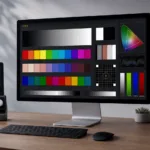
Short version: LightSpace Connect turns your phone, tablet, or TV into a patch source — it’s the mobile-friendly one. PatternSpace is the macOS powerhouse: live HDR patches, DeckLink SDI output, and ICC and LUT tools, all from your Mac. Same developer, different jobs. Here’s the full breakdown, based on the official guide.
Wait, aren’t these both yours?
Yes. Both are Caplaz apps, both generate test patches for display calibration, and no — one isn’t replacing the other. They cover different parts of the workflow.
LightSpace Connect is the traveler. It runs on macOS, iOS, and Android, with support for compatible Fire TV, Chromecast, and Apple TV devices. Install it on an iPhone and the phone’s screen becomes the patch source — which is exactly what you want when the display under test is a mobile screen. It can also send patches to external displays through supported adapters or screen mirroring.
PatternSpace is the bench. A native macOS app that treats your Mac like a calibration workbench: live HDR patches on supported Mac displays, a large diagnostic pattern library, DeckLink SDI output that bypasses the OS entirely, and built-in ICC profile and LUT tools.
The HDR split
This is where they genuinely differ. PatternSpace Pro renders live HDR patches on supported Mac displays — HDR PQ, system-tone-mapped HDR, Display HDR, and Linear HDR presets, with Peak White and EDR controls. Live, patch by patch, driven by your calibration software.
LightSpace Connect’s live network-driven patches are SDR. Its HDR story is a separate workflow: generated video clips played back with ColourSpace DIP Mode. Clips instead of live patches — not worse, just a different road.
The SDI question
Only one of them speaks SDI. Since 2.0, PatternSpace can send supported SDR solid and window patches through Blackmagic DeckLink hardware — progressive 720p and 1080p, 10-bit YCbCr, video-range BT.709 / gamma 2.4 — so patches exit through dedicated video hardware and macOS never gets a vote. It’s a separate one-time purchase, and it’s SDR-only in 2.0: no HDR, no UHD, no library patterns over SDI. (We covered the setup in the DeckLink post.)
LightSpace Connect has no SDI path. If there’s a DeckLink card in your bench, that’s your answer.
ICC profiles and LUTs
PatternSpace ships its own SDR ICC profile builder and VCGT tools — note the fine print from the official guide: the builder uses supplied display values and doesn’t measure the display itself, and writing a generated profile requires Pro. LUT Tools can inspect and combine supported LUT formats, apply adjustments, and prepare conversions; it’s in beta, and file export needs Pro. One more caveat: PatternSpace doesn’t apply an exported LUT to a display — the receiving application or hardware must support the transform.
LightSpace Connect keeps it simpler: it’s a patch source. ColourSpace does the thinking.
Who drives?
Both work with ColourSpace. PatternSpace Pro adds CalMAN and PGenerator emulation, plus PatternSpace Remote — an open WebSocket/JSON protocol (with a free evaluation allowance) for scripts and custom controllers. There’s a Swift SDK, because of course there is.
LightSpace Connect’s ColourSpace integration drives patches over the network, and its product documentation also lists CalMAN compatibility.
So which do you buy?
- The display under test is a phone or tablet, or you want a patch source on iOS, Android, or TV hardware? LightSpace Connect — the mobile-friendly one.
- Your bench centers on a Mac and you want live HDR, SDI output, and ICC/LUT tools in one place? PatternSpace — the macOS powerhouse.
- Both kinds of workflow? Both apps. They serve different screens; they don’t fight.
PatternSpace is free to download from the Mac App Store. Pro ($39.99 one-time) unlocks calibration automation, advanced Mac display HDR controls, ICC export, and LUT export; DeckLink SDI is a separate $39.99 one-time purchase. No subscriptions, Family Sharing included. For mobile patch generation today, LightSpace Connect is on the App Store and Google Play — PatternSpace’s own mobile apps are still in development. Mac first.