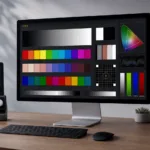
Short version: Patterns for Mac is Portrait Displays’ $119 app for calibrating displays through the macOS pipeline (ICC profiles, photographers). PatternSpace is our macOS pattern generator: your Mac becomes a patch source driven in closed loop by ColourSpace, CalMAN, or PGenerator — including over DeckLink SDI, bypassing the OS entirely. Same word in the name, completely different jobs — here is the full PatternSpace vs Patterns for Mac breakdown.
Wait, which one is which?
No shame in mixing them up. The naming collision is genuinely unfortunate.
Patterns for Mac is Portrait Displays’ app — the Calman people bought it from developer David Abrams a few years back. It’s a $119 macOS app that draws test patterns on your Mac’s internal or connected displays using Metal — SDR and HDR — and it builds ICC profiles at the end. CalMAN can drive it over your network as a pattern source (with a compatible CalMAN license) — Portrait’s own docs walk you through the setup — or you can run it by hand for manual workflows and ICC profiling.
PatternSpace is our macOS pattern generator, and you don’t drive it by hand — ColourSpace, CalMAN, or PGenerator does (that automation lives in PatternSpace Pro). The software says “show me patch 4,213,” PatternSpace shows it, your probe reads it, repeat five thousand times while you get coffee. And since 2.0 it can do all of that over DeckLink SDI — 10-bit v210, legal-range BT.709 — which means the patches never touch macOS’s GPU pipeline at all. We covered that SDI setup in the DeckLink post, if you missed it.
So: one is a manual instrument you look at. The other is a robot arm ColourSpace operates. The PatternSpace vs Patterns for Mac debate ends about thirty seconds after you understand that.
PatternSpace vs Patterns for Mac: the comparison
| Patterns for Mac | PatternSpace | |
|---|---|---|
| Price | $119 | Pro $39.99 one-time; DeckLink SDI Output a separate $39.99 |
| Driven by | You, or CalMAN over the network | ColourSpace, CalMAN, or PGenerator (Pro) |
| Output path | Mac GPU to the Mac’s own display (or external via macOS) | Mac display, or DeckLink SDI bypassing the OS entirely |
| HDR | Yes — via Metal on HDR-capable Mac displays | Yes — via Metal on display output (HDR P3 D65 PQ, BT.2020 PQ, Extended Linear sRGB HDR in Pro, peak-white control); SDI output is SDR-only |
| End product | ICC profile | Display profile / 3D LUT via ColourSpace |
| Best for | Photographers and designers calibrating displays used through macOS | Calibrators profiling external displays and SDI chains |
The real difference: the road, not the driver
Here’s the twist: CalMAN can drive both of them. Patterns for Mac connects to CalMAN over the network as a pattern source — Portrait’s own docs walk you through it — and PatternSpace Pro takes CalMAN automation alongside ColourSpace and PGenerator. So the driver doesn’t separate them. The road does.
With Patterns for Mac, every patch renders through the Mac’s GPU and macOS color management before it reaches the screen. That’s the correct road when you’re calibrating a Mac display as a Mac display: you use it through that pipeline, so you measure through it.
With PatternSpace over DeckLink SDI, patches leave through dedicated video hardware and macOS never gets a vote. That’s the correct road when the thing under test is the SDI chain itself — the card, the cable, the monitor’s SDI input processing.
Same driver, different roads, different questions answered.
Prefer to drive it yourself? There’s a Swift SDK for controlling PatternSpace over its JSON WebSocket protocol.
The pipeline problem (or: why SDI matters)
Portrait Displays describes Patterns for Mac as characterising a display “as it behaves within the macOS colour management environment.” Read that sentence twice, because it’s doing a lot of work.
Your patches travel through the GPU, the compositor, and whatever dithering macOS felt like applying that day. For an ICC profile of your own screen, that is exactly what you want to measure — you use the screen through that pipeline, so you calibrate through it. Measuring anything else would be calibrating a fantasy.
For profiling a reference monitor, it’s the exact opposite of what you want. You want the patch values you asked for, bit-exact, with no operating system “helping.” That’s the entire point of PatternSpace’s DeckLink SDI output: the patches exit through dedicated hardware and the OS never gets a vote.
HDR: read the fine print
No default winner here: both do HDR on Mac displays via Metal. PatternSpace offers output color presets including HDR P3 D65 PQ and HDR BT.2020 PQ, plus Extended Linear sRGB HDR in Pro, with peak-white control up to 4.0 EDR on capable displays.
The split is the SDI path: PatternSpace’s DeckLink output is SDR-only — 10-bit v210, legal-range BT.709. So if your HDR work happens on a Mac display, it’s a fair fight on specs and comes down to workflow. If your HDR workflow runs over SDI, that’s a current limitation worth knowing before you buy the SDI add-on.
So which do you buy?
- You edit photos or design on your Mac and want the screen accurate? Patterns for Mac.
- You profile displays with ColourSpace, CalMAN, or PGenerator and want your Mac as the patch source — via display output or DeckLink SDI? PatternSpace.
- You do both? Both. Just label your dock icons carefully, because future-you will absolutely click the wrong one.
Still torn on PatternSpace vs Patterns for Mac? Match the tool to the pipeline: displays you use through macOS mean Patterns for Mac; profiling the signal chain itself — SDI output to a reference monitor — means PatternSpace.
Gotchas
- Patterns for Mac measures the macOS pipeline, not the panel in isolation. That’s a feature for ICC work and a disqualifier for reference profiling. Know which game you’re playing.
- PatternSpace is useless without calibration software driving it — ColourSpace, CalMAN, and PGenerator automation all live in Pro. It’s not a standalone pattern toy, so don’t buy it expecting a manual pattern app.
- After major macOS updates, re-verify your ICC profiles. Apple has a habit of rearranging the pipeline furniture while you’re not looking.
- If you’re coming from the DeckLink post: yes, the same Mac can be both. PatternSpace over SDI for the reference monitor, Patterns for Mac for the MacBook screen next to it. They don’t fight; they don’t even notice each other.