
WooCommerce payment failures are silently costing store owners thousands of dollars every month. If you run a WooCommerce store, there’s a good chance you’re experiencing payment failures right now and don’t even know it.
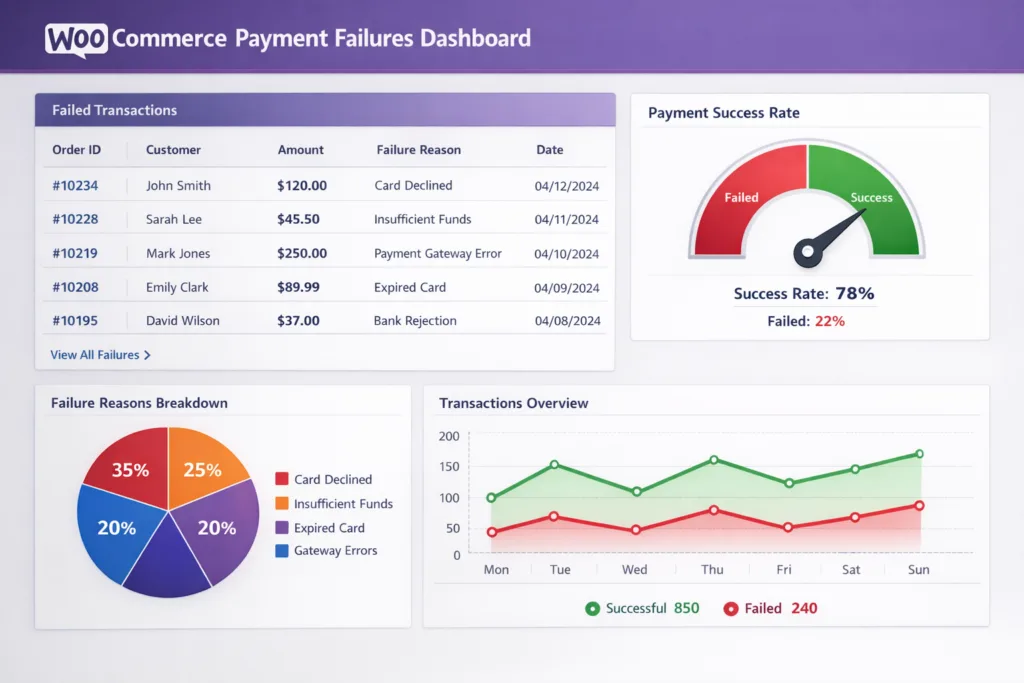
The shocking truth about WooCommerce payment failures: Between 14-15% of all e-commerce transactions fail, according to Visa. For a store doing $100,000 in annual revenue, WooCommerce payment failures mean potentially $15,000 in lost sales every single year.
Even worse? Most of these failures happen silently. Your payment gateway goes down for 2 hours on a Saturday afternoon, and you don’t find out until Monday morning when customers start complaining.
In this comprehensive guide, we’ll cover:
- Why WooCommerce payments fail (and it’s not always fraud)
- The real cost of payment failures for your store
- How to detect payment issues before they cost you thousands
- Proven strategies to recover failed payments
- Tools and plugins that can help (including our upcoming solution)
Let’s dive in.
- How Common Are Payment Failures in WooCommerce?
- Why Do WooCommerce Payment Failures Happen? (It's Not Just Fraud)
- The True Cost of WooCommerce Payment Failures (It's Worse Than You Think)
- How to Detect WooCommerce Payment Failures Early (Before They Cost Thousands)
- Recovering WooCommerce Payment Failures: What Actually Works
- Best Practices for Preventing WooCommerce Payment Failures
- Tools to Monitor and Fix WooCommerce Payment Failures
- Conclusion: Take Action Today
- Frequently Asked Questions
- Ready to Stop Losing Sales?
How Common Are Payment Failures in WooCommerce?
Understanding WooCommerce payment failures requires knowing the two main categories of declined transactions.
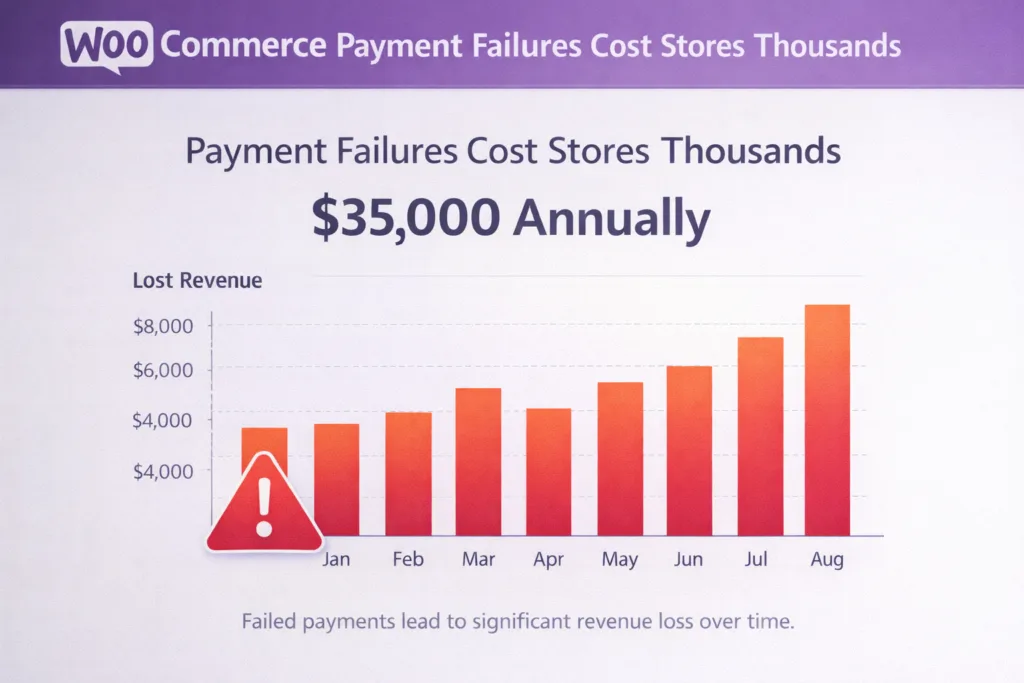
The Hard Data
Visa reports that card-not-present (e-commerce) transactions have a 14% issuer decline rate. That means nearly 1 in 7 legitimate transactions fail.
Here’s what that looks like for your store:
| Annual Revenue | Failed Transactions (14%) | Potential Lost Sales |
|---|---|---|
| $50,000 | $7,000 | $7,000/year |
| $100,000 | $14,000 | $14,000/year |
| $500,000 | $70,000 | $70,000/year |
| $1,000,000 | $140,000 | $140,000/year |
And here’s the kicker: 62% of customers who experience a failed payment never return to try again.
You’re not just losing that one sale—you’re losing that customer forever.
Why Do WooCommerce Payment Failures Happen? (It’s Not Just Fraud)
When a payment fails, most store owners assume it’s fraud. But fraud only accounts for a small percentage of payment failures.
The Real Reasons Payments Fail
Payment failures fall into two categories: soft declines (temporary, recoverable) and hard declines (permanent, not recoverable).
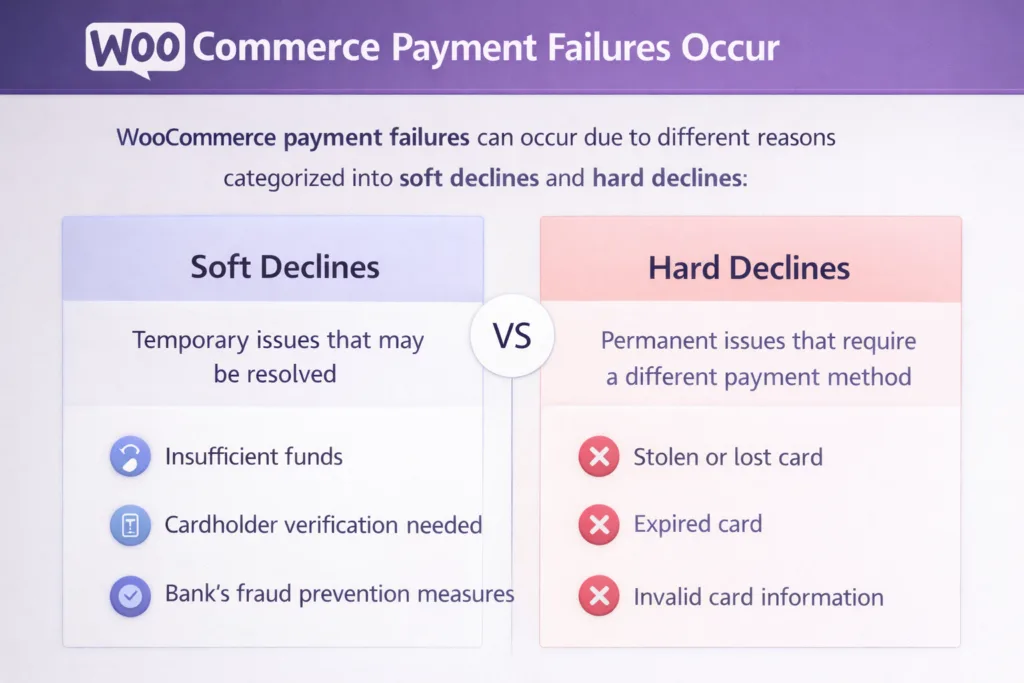
Soft Declines (80-90% of failures – RECOVERABLE)
These are temporary issues that can often be resolved:
1. Insufficient Funds (40% of soft declines)
- Customer’s account doesn’t have enough money right now
- Recoverable: Retry after payday (3-5 days later)
- Success rate: 50-70% when retried at the right time
2. Credit Limit Exceeded
- Customer has maxed out their credit card
- Recoverable: Retry after billing cycle resets
- Success rate: 30-50%
3. Technical Issues
- Gateway API timeout
- Network connectivity problems
- Server overload during high traffic
- Recoverable: Retry immediately or within 1 hour
- Success rate: 60-80%
4. 3D Secure Authentication Failures
- Customer didn’t complete authentication
- SMS code didn’t arrive
- Authentication timeout
- Recoverable: Retry with customer notification
- Success rate: 40-60%
5. AVS/CVV Mismatch
- Address verification failed
- Security code entered incorrectly
- Recoverable: Prompt customer to verify details
- Success rate: 70-90% when customer corrects info
6. “Do Not Honor” (Temporary)
- Bank’s generic decline code
- Often temporary security holds
- Recoverable: Retry 24-48 hours later
- Success rate: 25-40%
Hard Declines (10-20% of failures – NOT RECOVERABLE)
These are permanent failures that won’t be fixed by retrying:
1. Expired Card (20% of all failures)
- Card expiration date has passed
- Solution: Email customer to update payment method
2. Stolen/Lost Card
- Card reported as lost or stolen
- Solution: Customer must use different card
3. Closed Account
- Bank account or credit card closed
- Solution: Customer must use different payment method
4. Invalid Card Number
- Incorrect card number entered
- Card doesn’t exist
- Solution: Customer must re-enter correct details
5. Permanent Fraud Block
- Card issuer has blocked the card
- Solution: Customer must contact their bank
The True Cost of WooCommerce Payment Failures (It’s Worse Than You Think)
Let’s calculate the real impact of WooCommerce payment failures on your bottom line.
1. Direct Lost Revenue
This is the obvious one: failed transaction = no sale.
Example calculation for a $100k/year store:
- 14% failure rate = $14,000 in failed transactions
- 85% are soft declines = $11,900 potentially recoverable
- Without recovery: You lose $11,900
- With 60% recovery: You save $7,140
2. Lost Customers (The Hidden Cost)
Remember: 62% of customers never return after a failed payment.
Example:
- You lose 100 customers to payment failures
- 62 never come back
- Average customer lifetime value: $300
- Total lost lifetime value: $18,600
This is often MORE costly than the immediate lost sale.
3. Gateway Downtime (The Catastrophic Cost)
When your payment gateway goes down completely, the losses accelerate fast.
Industry studies estimate gateway downtime costs $5,600 per minute on average.
Real-world example:
- Saturday afternoon rush (2pm-6pm)
- Stripe experiences issues (happened in 2024)
- Your store goes 2 hours without processing payments
- Average: $500/hour in sales
- Lost revenue: $1,000
- Problem: You don’t find out until Monday
If you had been alerted within 5 minutes, you could have:
- Switched to PayPal as backup gateway
- Limited losses to ~$40 instead of $1,000
How to Detect WooCommerce Payment Failures Early (Before They Cost Thousands)
Most WooCommerce store owners only discover payment issues when:
- Customers email to complain
- They manually check “pending” orders
- They notice revenue is down
By then, you’ve already lost hundreds or thousands of dollars.
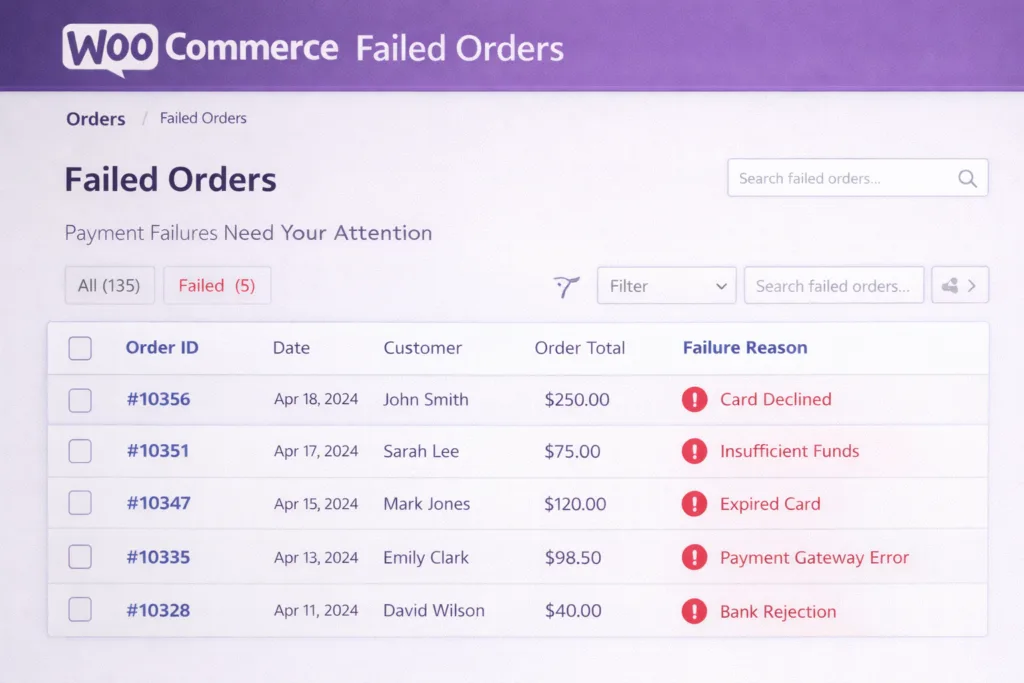
Manual Detection Methods
Check your WooCommerce orders daily:
- Go to WooCommerce → Orders
- Filter by “Failed” status
- Look for patterns:
- Multiple failures from same gateway?
- Failures clustered at specific times?
- Unusual spike in failures?
Monitor gateway status pages:
- Stripe Status: status.stripe.com
- PayPal Status: status.paypal.com
- Square Status: status.squareup.com
Problem: This takes 15-30 minutes daily and is reactive, not proactive.
Automated Detection (Recommended)
Set up automated monitoring that alerts you instantly when:
- Success rate drops below 90%
- A payment gateway goes down
- Failures spike unusually
- Specific error codes appear repeatedly
Option 1: Build Custom Scripts
Create a WordPress cron job that checks payment success rates hourly:
// Check payment health every hour
add_action('wp', function() {
    if (!wp_next_scheduled('check_payment_health')) {
        wp_schedule_event(time(), 'hourly', 'check_payment_health');
    }
});

add_action('check_payment_health', function() {
    // Get orders from last 24 hours
    $args = array(
        'date_created' => '>' . (time() - 86400),
        'limit' => -1,
    );
    $orders = wc_get_orders($args);

    // Calculate success rate
    $total = count($orders);
    $failed = 0;
    foreach ($orders as $order) {
        if ($order->get_status() === 'failed') {
            $failed++;
        }
    }

    $success_rate = $total > 0 ? (($total - $failed) / $total) * 100 : 100;

    // Alert if below 90%
    if ($success_rate < 90) {
        wp_mail(
            get_option('admin_email'),
            'Payment Alert: Success rate at ' . round($success_rate, 1) . '%',
            'Your payment success rate has dropped to ' . round($success_rate, 1) . '%. Check your payment gateways immediately.'
        );
    }
});
Pros: Free, customizable Cons: Requires technical knowledge, limited features, no historical data
Option 2: Use Automated Monitoring Tools
Full disclosure: We’re building PaySentinel specifically to solve this problem. But even while it’s in development, here’s what you should look for in any monitoring solution:
Essential features:
- Real-time gateway health monitoring
- Instant alerts (SMS, email, Slack)
- Success rate tracking over time
- Failed transaction details
- Multiple gateway support
Advanced features:
- Automatic retry logic
- Failure pattern analysis
- Gateway performance comparison
- Revenue impact calculation
Recovering WooCommerce Payment Failures: What Actually Works
Successfully recovering from WooCommerce payment failures requires smart timing and the right approach.
The Data on Retry Success Rates
Not all retries are created equal. Timing matters enormously.
Research shows:
- First retry: 40% success rate
- Second retry: 33% success rate
- Third retry: 25% success rate
- Fourth+ retry: <5% success rate (diminishing returns)
Key insight: After 3 retries, you’re wasting time and potentially annoying customers.
Smart Retry Strategies by Failure Type
For Insufficient Funds
When to retry:
- 3 days later (after potential payday)
- 7 days later (next week’s payday)
- 14 days later (bi-weekly payday)
Success rate: 50-70% recovery
Email template:
Subject: Your order is waiting for you

Hi [Name],

We noticed your payment didn't go through for order #[ORDER]. This can happen for various reasons - no worries!

We've automatically attempted to process your payment again. If it succeeds, we'll send you a confirmation immediately.

If you'd prefer to use a different payment method, you can complete your order here: [LINK]

Thanks for your business!
For Credit Limit Exceeded
When to retry:
- 30 days later (after billing cycle reset)
Success rate: 30-50% recovery
For Technical Failures
When to retry:
- Immediately (if gateway timeout)
- 1 hour later (if network issue)
Success rate: 60-80% recovery
Important: Don’t email customer for technical failures—just retry silently.
For 3D Secure Failures
When to retry:
- Don’t retry automatically
- Email customer with new payment link
- Explain authentication is required
Success rate: 40-60% when customer re-attempts
Manual vs Automated Recovery
Manual recovery process:
- Check failed orders daily
- Categorize by failure reason
- Manually retry or email customer
- Track results in spreadsheet
Time required: 30-60 minutes per day Recovery rate: 20-30% (due to delays and inconsistency)
Automated recovery process:
- System detects failure type automatically
- Schedules retry at optimal time
- Sends customer emails when needed
- Tracks everything automatically
Time required: 0 minutes per day Recovery rate: 50-70% (faster response, optimal timing)
Best Practices for Preventing WooCommerce Payment Failures
Reducing WooCommerce payment failures starts with implementing these proven strategies.
1. Use Multiple Payment Gateways
Don’t put all your eggs in one basket.
Recommended setup:
- Primary: Stripe (high success rate, great for cards)
- Secondary: PayPal (customers already have accounts, fewer authentication issues)
- Tertiary: Square or Authorize.net (backup for when others fail)
Why this works:
- Different gateways have different decline rates
- If one goes down, you have backups
- Customers can choose their preferred method
Implementation in WooCommerce:
- Install multiple payment gateway plugins
- Display all options at checkout
- Set one as default, others as alternatives
2. Optimize Your Checkout Page
Checkout friction causes payment failures.
Checklist:
- ✅ Mobile-optimized checkout (60% of traffic is mobile)
- ✅ Guest checkout option (forced registration = abandoned carts)
- ✅ Clear error messages (not “Error 402” – say “Card declined, try another”)
- ✅ Progress indicators (customers know what to expect)
- ✅ Security badges (builds trust)
- ✅ Multiple payment options visible
- ✅ Auto-fill address fields when possible
Pro tip: Use WooCommerce Checkout Field Editor to remove unnecessary fields. Every extra field increases cart abandonment.
3. Update Card Expiry Dates Proactively
20% of payment failures are expired cards.
Solution: Send emails 30 days before card expiration:
Subject: Update your payment info to keep your subscription active

Hi [Name],

Your card ending in [XXXX] expires on [DATE]. To ensure uninterrupted service, please update your payment information.

Update here: [LINK]

This only takes 30 seconds and ensures your next order processes smoothly.

Thanks!
4. Implement 3D Secure Correctly
3D Secure (Strong Customer Authentication) is required in Europe and increasingly common globally.
Common mistakes:
- Not implementing it at all (transactions get declined)
- Implementing it poorly (confusing customer experience)
Best practice:
- Use Stripe’s built-in SCA handling
- Test the flow yourself on mobile
- Provide clear instructions: “You’ll receive an SMS code from your bank”
5. Monitor Gateway Performance
Different gateways have different success rates for different scenarios.
Track these metrics monthly:
- Overall success rate per gateway
- Average transaction time
- Downtime incidents
- Customer complaints per gateway
Example findings:
- Stripe: 94% success rate, best for US customers
- PayPal: 88% success rate, but customers trust it more
- Square: 96% success rate, but fewer customers have accounts
Action: If one gateway consistently underperforms, consider replacing it.
6. Test Your Checkout Regularly
Set up test transactions monthly:
Test scenarios:
- Successful card payment
- Declined card (use test card 4000000000000002)
- Expired card
- Mobile checkout
- Each payment gateway
- Different countries (if selling internationally)
What to check:
- Does error messaging make sense?
- Do failed transactions appear in WooCommerce?
- Do you receive any notifications?
- Is the customer experience smooth?
Tools to Monitor and Fix WooCommerce Payment Failures
The right monitoring tools can prevent WooCommerce payment failures before they impact your revenue.
Native WooCommerce Features
What WooCommerce gives you:
- Failed order status
- Basic email notifications
- Order notes (sometimes show error codes)
What WooCommerce DOESN’T give you:
- Real-time monitoring
- Success rate calculations
- Pattern detection
- Automatic retry
- Gateway health tracking
WordPress Plugins for Payment Monitoring
Current options (as of 2026):
1. WooCommerce Order Status Manager
- What it does: Custom order statuses, better organization
- Monitoring: No
- Alerts: No
- Price: Free
- Good for: Organization, but not monitoring
2. Email Customizer for WooCommerce
- What it does: Customize order emails
- Monitoring: No
- Alerts: Basic (when order fails)
- Price: Free
- Good for: Better customer communication, but not detection
3. WooCommerce Admin
- What it does: Enhanced analytics dashboard
- Monitoring: Basic (shows failed orders)
- Alerts: No
- Price: Free (built into WooCommerce)
- Good for: Manual daily checking
The gap: No plugin currently offers real-time payment monitoring with instant alerts and automatic recovery.
Coming Soon: PaySentinel (Our Solution)
Full transparency: We’re building PaySentinel because this gap frustrated us too.
What PaySentinel will do:
Free tier:
- Monitor 2 payment gateways
- Email alerts when success rate drops
- 7-day transaction history
- Manual retry tools
Pro tier ($99/year):
- Unlimited gateways
- SMS + Slack alerts (instant notification)
- 90-day history
- Automatic smart retry (recovers 50-70% of soft declines)
- Advanced analytics (see WHY payments fail)
- Gateway performance comparison
Agency tier ($249/year):
- Manage multiple client stores
- Multi-site dashboard
- White-label reports
- 365-day history
Join the waitlist for 50% off when we launch (Q2 2026).
Alternative: Build Your Own Monitoring
If you’re technical, you can build basic monitoring:
Required components:
- Hourly cron job checking order status
- Success rate calculation
- Email/SMS alerts when threshold crossed
- Log storage for historical analysis
Estimated dev time: 20-40 hours Ongoing maintenance: 2-5 hours/month
Pros: Free (your time), fully customized Cons: Time-intensive, limited features, you maintain it
Conclusion: Take Action Today
Payment failures are costing you money right now. The question is: how much?
Here’s your action plan:
This Week
- ✅ Check your failed orders from the last 30 days
- ✅ Calculate your actual failure rate
- ✅ Identify which gateway has the most failures
- ✅ Set up a second payment gateway if you only have one
This Month
- ✅ Implement basic monitoring (even if manual)
- ✅ Create a process for retrying failed payments
- ✅ Optimize your checkout page
- ✅ Test your payment flow on mobile
Long-Term
- ✅ Set up automated monitoring and alerts
- ✅ Implement automatic retry logic
- ✅ Track recovery rates and optimize
- ✅ Review gateway performance quarterly
The bottom line: You can’t afford to ignore payment failures. Even recovering just 50% of failed payments could add thousands to your annual revenue.
Frequently Asked Questions
Q: How do I know if my payment gateway is down? A: Check the gateway’s status page (status.stripe.com, status.paypal.com, etc.), or implement monitoring that alerts you automatically.
Q: Can I automatically retry failed WooCommerce payments? A: Not with default WooCommerce, but you can build custom retry logic or use a plugin like PaySentinel (launching Q2 2026) that does this automatically.
Q: What’s the best payment gateway for WooCommerce? A: Stripe typically has the highest success rates (94-96%), but use multiple gateways for redundancy. PayPal is good for customers who don’t want to enter card details.
Q: How often should I check for failed payments? A: Daily at minimum. Better: Set up automated monitoring that checks hourly and alerts you instantly.
Q: Will retrying failed payments annoy my customers? A: Not if done right. Retry technical failures silently. For customer-side issues (insufficient funds), send one polite email explaining the retry. Don’t retry hard declines (expired cards, etc.) – email the customer instead.
Q: How can I reduce payment failures? A: Use multiple gateways, optimize checkout UX, implement 3D Secure correctly, monitor gateway performance, and set up automated retry logic.
Ready to Stop Losing Sales?
Payment failures don’t have to cost you thousands every year.
Join the PaySentinel waitlist to be notified when we launch our WooCommerce payment monitoring solution. Early adopters get 50% off their first year.
Or bookmark this guide and start implementing these strategies today. Your revenue will thank you.

Software enthusiast with a passion for AI, edge computing, and building intelligent SaaS solutions. Experienced in cloud computing and infrastructure, with a track record of contributing to multiple tech companies in Silicon Valley. Always exploring how emerging technologies can drive real-world impact, from the cloud to the edge.